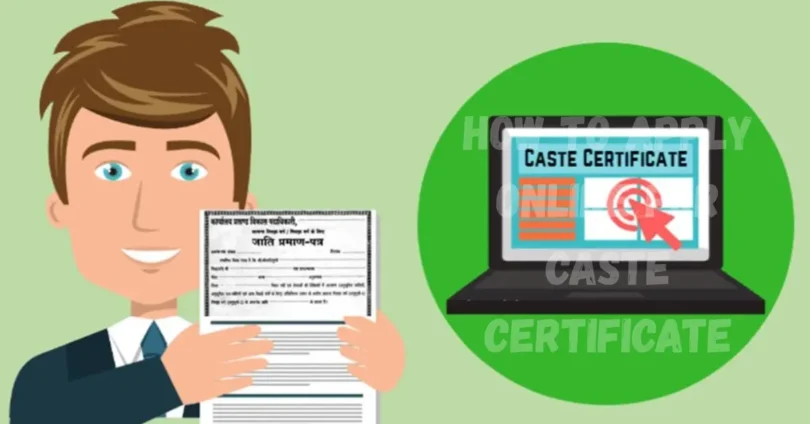
Getting a caste certificate is important for people who belong to Scheduled Castes (SC), Scheduled Tribes (ST), or Other Backward Classes (OBC). It helps in getting government benefits, jobs, and educational support. In today is digital world, you don’t need to stand in long lines. You can easily apply from your home. This article will guide you on how to apply online for caste certificate in a simple and step-by-step way. Whether you are a student, job seeker, or someone who needs the certificate for official work, this guide will make the process easy for you.
What is a Caste Certificate and Why Is It Important?
A Caste Certificate is an official government document that proves your caste. It is issued to people who belong to Scheduled Castes (SC), Scheduled Tribes (ST), or Other Backward Classes (OBC). This certificate is necessary if you want to:
- Get admission in reserved quota in schools and colleges
- Apply for government jobs under reservation
- Avail scholarships and fee waivers
- Apply for loans or grants provided by the government
- Access benefits of welfare schemes
In today is digital time, you don’t need to go to government offices again and again. Now, you can apply online for caste certificate from your home using your phone or computer.
Who Can Apply for a Caste Certificate?
To apply for a caste certificate, you must meet the following conditions:
- You should be a citizen of India
- You must belong to SC, ST, or OBC category
- Your caste should be listed in the Constitution of India
- You should have valid proof of identity and residence
- The applicant can be a minor (via guardian), student, adult, or job seeker
Documents Required Before You Apply Online
Before you start your online application, keep the following documents ready:
Personal Documents:
- Aadhar Card (for ID proof)
- Voter ID Card / Ration Card / Passport (for identity and address proof)
- Birth Certificate or 10th Certificate (for age proof)
- Recent passport-size photograph
Caste Related Documents:
- Proof of caste from father/mother (if available)
- Caste certificate of family members
- Affidavit (self-declared caste statement)
- Old caste certificate (if renewing)
Residence Proof:
- Utility bill (electricity/water)
- Bank passbook with address
- Rent agreement or land record
Note: Requirements may vary state to state.
Step by Step Guide to Apply Online for Caste Certificate
Here is the full process explained in simple steps:
1: Visit the Official State Portal
Go to your state’s caste certificate portal. Example:
- Bihar: https://serviceonline.bihar.gov.in/
- Maharashtra: https://aaplesarkar.mahaonline.gov.in/
- UP: https://edistrict.up.gov.in/
2: Register as a New User
- Click on “New Registration” or “Create Account”
- Enter your name, mobile number, email, and create password
- Verify your mobile/email using OTP
- Once done, you’ll receive a user ID
3: Login and Select “Apply for Caste Certificate”
- Log in using your ID and password
- From the services list, select Caste Certificate
- Click “Apply Now” or “Fill Application”
4: Fill the Application Form
Enter personal details:
- Name, date of birth, father’s name, address
- Caste category (SC/ST/OBC)
- Religion, nationality, income (if asked)
Double check before going to the next step
5: Upload Documents
- Upload scanned copies of documents listed above
- Make sure each file is clear and under the size limit (usually 100–200 KB)
- Use PDF or JPG formats
6: Review and Confirm
- Carefully review all details
- Check for spelling errors or missing fields
- If everything is correct, click “Submit”
7: Pay the Application Fee (If Required)
- Some states charge a small fee (Rs. 10 to Rs. 100)
- Pay via debit card, net banking, UPI, etc.
- Save the payment receipt
8: Download Acknowledgment Receipt
Once submitted, you’ll get a reference number
Save or print the acknowledgment slip for tracking
How to Check Caste Certificate Application Status Online
Follow these steps to track your application:
- Visit the official portal
- Click on “Track Application Status”
- Enter your acknowledgment/reference number
- Click “Check Status”
- You will see your application progress
Statuses may include:
- Application Submitted
- Under Verification
- Approved
- Rejected (with reason)
How to Download Your Caste Certificate Online
Once approved, you can download it easily:
- Go to the same portal
- Log in to your account
- Click on “Download Issued Certificate”
- Enter your application/reference number
- Your caste certificate will open as a PDF
- Download and print it for use
Common Mistakes to Avoid While Applying Online
- Wrong caste selection – Always verify from official list
- Uploading unclear documents – Use proper scanner apps
- Entering incorrect name or DOB – Must match Aadhar
- Skipping mandatory fields – Results in rejection
- Not checking application status regularly – Misses updates
Validity of Caste Certificate and Renewal Process
- Permanent caste certificates don’t need renewal unless stated
- Temporary or income-based caste certificates may need renewal every 1–3 years
- For renewal, apply through the same portal with updated documents
Offline vs Online Method – Which is Better?
| Feature | Offline Method | Online Method |
| Time | Slower (3–4 weeks) | Faster (7–10 days) |
| Queue | Yes | No |
| From Home | No | Yes |
| Fee Payment | Manual | Online |
| Status Check | Physical visit | Track online |
| Document Upload | Hard copy | Soft copy |
Online method is faster, easier, and more convenient.
State-Wise Caste Certificate Portals
| State | Official Portal |
|---|---|
| Bihar | serviceonline.bihar.gov.in |
| Uttar Pradesh | edistrict.up.gov.in |
| Maharashtra | aaplesarkar.mahaonline.gov.in |
| Karnataka | nadakacheri.karnataka.gov.in |
| Tamil Nadu | tnega.tn.gov.in |
| MP | mponline.gov.in |
| Delhi | edistrict.delhigovt.nic.in |
| Rajasthan | sso.rajasthan.gov.in |
| West Bengal | castcertificatewb.gov.in |
| Telangana | ts.meeseva.telangana.gov.in |
Common FAQs About How to Apply Online for Caste Certificate
Some faqs of How to Apply Online for Caste Certificate:
1. Can I apply for caste certificate without Aadhaar?
Yes, but Aadhaar is highly recommended. You may use voter ID or other ID proof.
2. How long does it take to get the caste certificate online?
It usually takes 7 to 14 working days, depending on your state.
3. Is there any fee for caste certificate?
Some states offer it free, others charge a small fee (₹10 to ₹100).
4. What if my application gets rejected?
Check the reason, correct the issue, and reapply online.
5. Can I apply for my child’s caste certificate?
Yes, parents/guardians can apply on behalf of minors.
6. Is online certificate accepted everywhere?
Yes, digitally signed caste certificates are valid across India.
7. What file formats are accepted for upload?
Usually PDF, JPG, or PNG under 200 KB.
8. Do I need to visit the office after online application?
Usually not. Only in rare cases for verification.
9. Is the process same for SC, ST, and OBC?
Yes, but some documents may differ slightly.
10. Can I edit my application after submitting it?
No. You must cancel and reapply if there’s an error.
Conclusion
Getting a caste certificate is very important for students, job seekers, and anyone who wants to benefit from government schemes. In the past, this process was slow and difficult, but now it’s fast and easy because you can do everything online. By following the step-by-step guide we shared above, you can easily learn how to apply online for caste certificate without any confusion.
Just make sure to keep your documents ready, enter correct information, and always use your state’s official portal. This small step can open many big opportunities in your life like scholarships, reserved seats, and government jobs.